The Difference Between Throttling and Debouncing
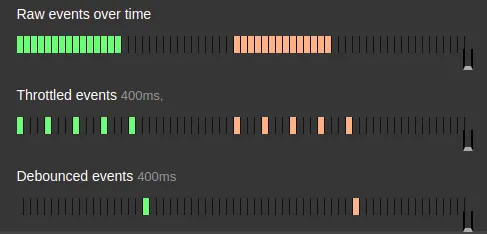
Performance Degradation Issues Due to Excessive Function Calls
Throttling and debouncing are methods to convert numerous calls into a smaller number of calls to solve performance degradation issues caused by excessive calls. If an event is applied to a mouse scroll without any specific constraints in JavaScript, that event will be called excessively numerous times during scrolling. If that event involves heavy operations, it will place a tremendous burden on memory. Throttling and debouncing were devised as solutions to reduce the number of calls in such situations. These techniques are not limited to JavaScript; they can be used in any language or development environment where numerous calls occur in a short period, to convert them into a smaller quantity of calls, thus making them universal concepts.
Strategies to Reduce Excessive Call Volume to a Manageable Level
Throttling and debouncing share the common goal of reducing the number of calls within a given timeframe, but they differ in their approach.
- Throttling paces out multiple calls by introducing intervals between them,
- while debouncing groups multiple calls together.
”Intervals” = Throttling
Throttling can be easily understood by thinking of network throttling provided by Chrome Developer Tools to measure page load times under slow network conditions during frontend development. The term ‘throttling’ itself means to reduce the frequency by introducing delays between calls, effectively extending the call interval. Originally, throttling refers to drastically lowering the CPU clock speed in a phone when it overheats, to protect the device. For those who enjoy games or videos, think of ‘frame drops’ where smooth playback suddenly becomes choppy.
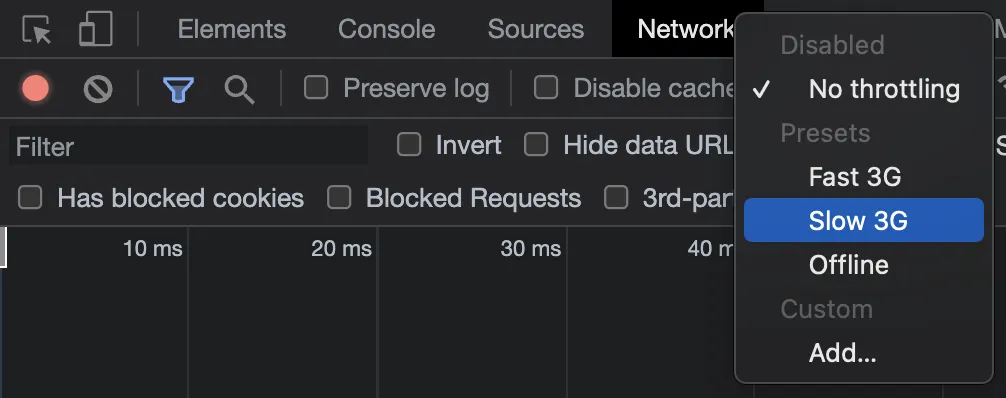
Throttling is used when processing is needed for ‘every action’. Examples include:
- Continuous events triggered by scrolling
- Continuous events during drag-and-drop operations
”Grouping” = Debouncing
Debouncing appears to originate from circuit engineering. When a switch is turned On/Off, the current flow doesn’t transition cleanly from [ On → Off ]. Instead, there’s a phenomenon of slight vibration, like [ On → Off → On → Off → On → Off ], in a short period. This is called ‘bounce,’ and cleaning up this bounce to a single [ On → Off ] transition is called ‘debouncing.’ It bundles numerous calls into a smaller number of calls.
Debouncing is used when the single fact of ‘whether an action was performed or not’ is important. Examples include:
- A single event for the final resizing action
- A single event for the final search query input
Summary
In summary, if you want to determine whether a specific action has been performed, you can group calls using debouncing. If you want to recognize all actions but the events are too numerous and you want to reduce their count, you can apply an appropriate delay (interval) with throttling.