JavaScript Runtime Environments: Chrome 'Browser' vs. Node.js 'Server'
JavaScript Engine
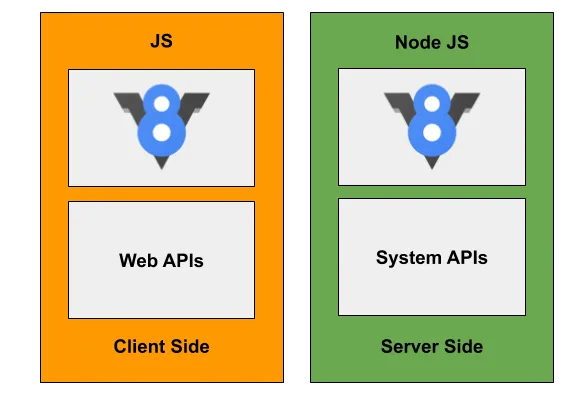
JavaScript initially emerged to add dynamic elements and enhance user experience in web browsers. Like any other programming language, JavaScript requires an interpreter engine for execution. To navigate the web, we use browsers that render web pages. Browsers integrate their own HTML and CSS rendering engines along with a JavaScript engine to display the web on our screens. Various browsers like IE, Safari, and Chrome each come with different JavaScript engines. Among these, the Chrome browser (frontend), which I primarily use, utilizes the V8 JavaScript engine. Subsequently, Node.js servers (backend) emerged, also employing the V8 JavaScript engine, as an initiative to leverage JavaScript on the server-side. Consequently, the V8 engine has become exceptionally popular, being used across both frontend and backend development.
JavaScript Runtime (Environment)
While both utilize the same V8 JavaScript engine, one is used in the browser (frontend) and the other in a Node.js server (backend). You can think of both a browser and Node.js as small virtual machines that use JavaScript as their execution language. ‘Environment’ refers to the virtual machine, and ‘JavaScript Runtime’ signifies that JavaScript is the language driving it. Combining these, we call both the browser and Node.js a JavaScript Runtime Environment. As an aside, Java developers install something called JRE (Java Runtime Environment) to execute Java-based software, which is precisely what its name implies for Java execution. JDK (Java Development Kit) is a package that includes JRE for Java execution and debugging, along with other tools necessary for Java development.
As previously mentioned, there are two common types of JavaScript Runtime Environments we encounter:
- Browser (Frontend)
- Node.js (Backend)
A JavaScript Runtime Environment primarily consists of two components. Firstly, there must be a (1) JavaScript engine for JavaScript execution (JavaScript Runtime), and secondly, there are (2) APIs that help configure and manipulate the browser or Node.js environment. Even common computer operating systems (OS) provide APIs; they offer APIs, often referred to as the Kernel, to utilize resources like CPU, disk, memory, file, and network I/O.
Let’s briefly examine the commonalities and differences in structure between the browser (frontend) and Node.js (backend).
Browser (Frontend)
- Engine = JavaScript Engine (V8)
- API = Browser APIs (Web APIs)
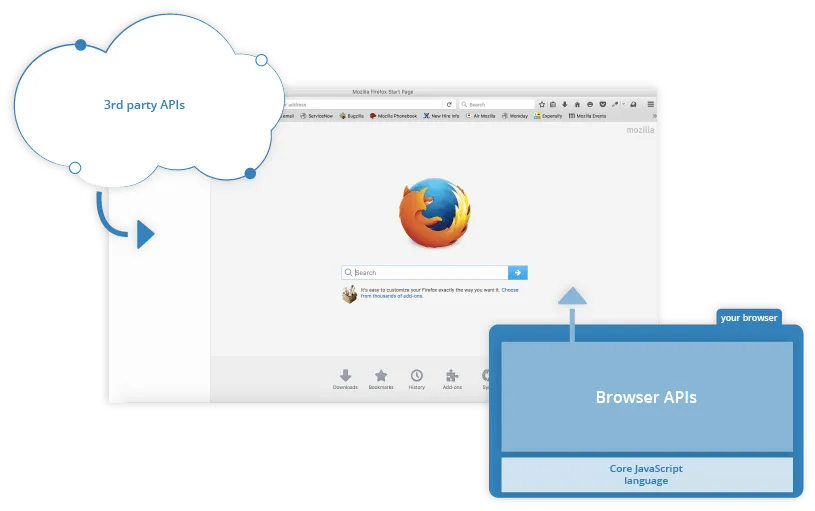
This is how a browser is structured. Browsers provide various resources to handle interactions (events) between web pages and users. Browser resources include Worker Threads (Web Worker & Service Worker) for performing parallel tasks, and Cookie and Storage (LocalStorage & SessionStorage) for data storage. Leveraging these resources, we can use Canvas API for drawing and image processing, Fetch API for calling external 3rd Party APIs, or simple functions like setTimeout. While MDN documentation lists a vast number of APIs, key ones can be broadly categorized as follows:
- Fetch API
- DOM API
- Web Storage API
- Canvas API
- Geolocation API
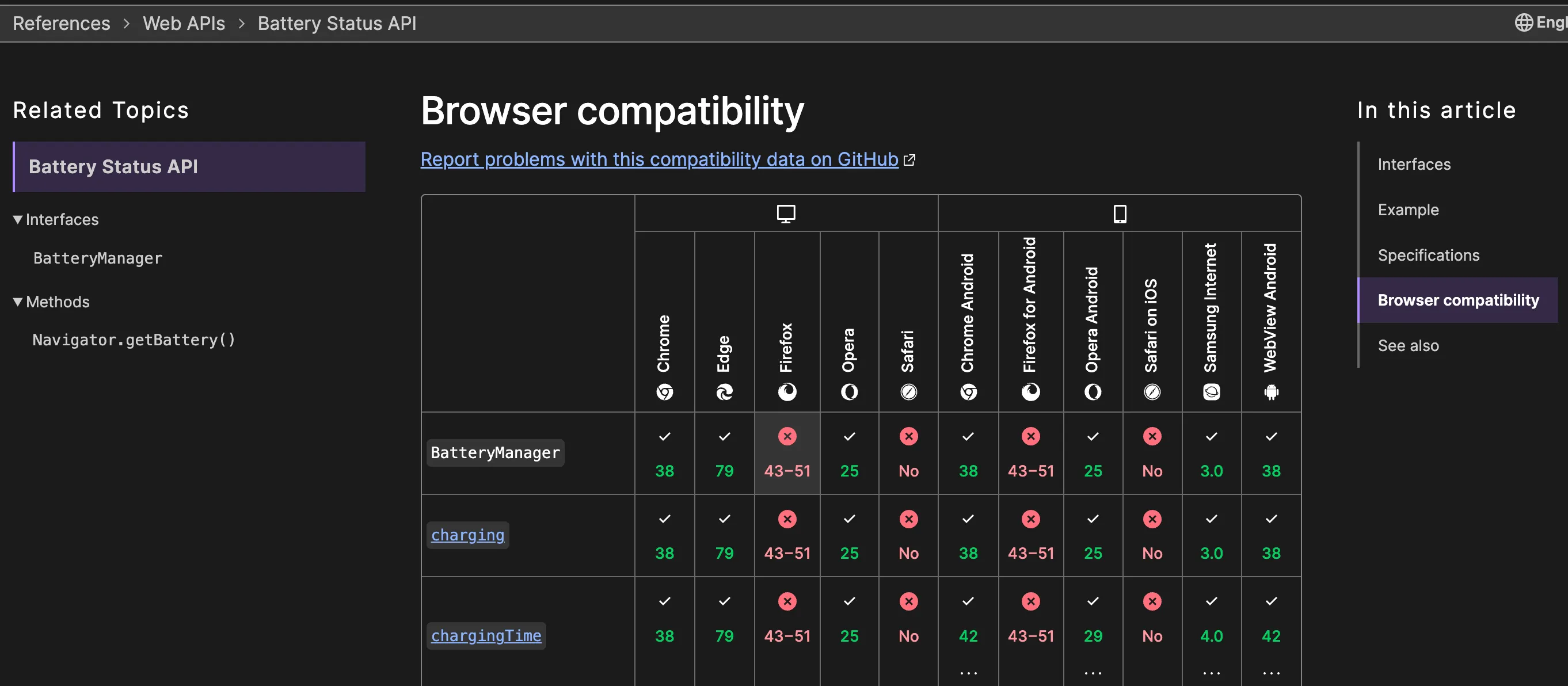
All of these are provided by browsers as Web APIs, and each browser may have slightly different implementations. Consequently, some APIs might not function in specific browsers.
Node.js (Backend)
- Engine = JavaScript Engine (V8)
- API = Node APIs + libuv (Asynchronous I/O library)
- Configuration: Event Queue & Event Loop & Worker Threads
- Asynchronous operations (network, socket tasks) utilize system APIs provided by the OS.
- File I/O uses a Thread Pool.
- For files, while OS-specific system APIs exist, a Thread Pool is used due to differing abstraction levels across OSes.
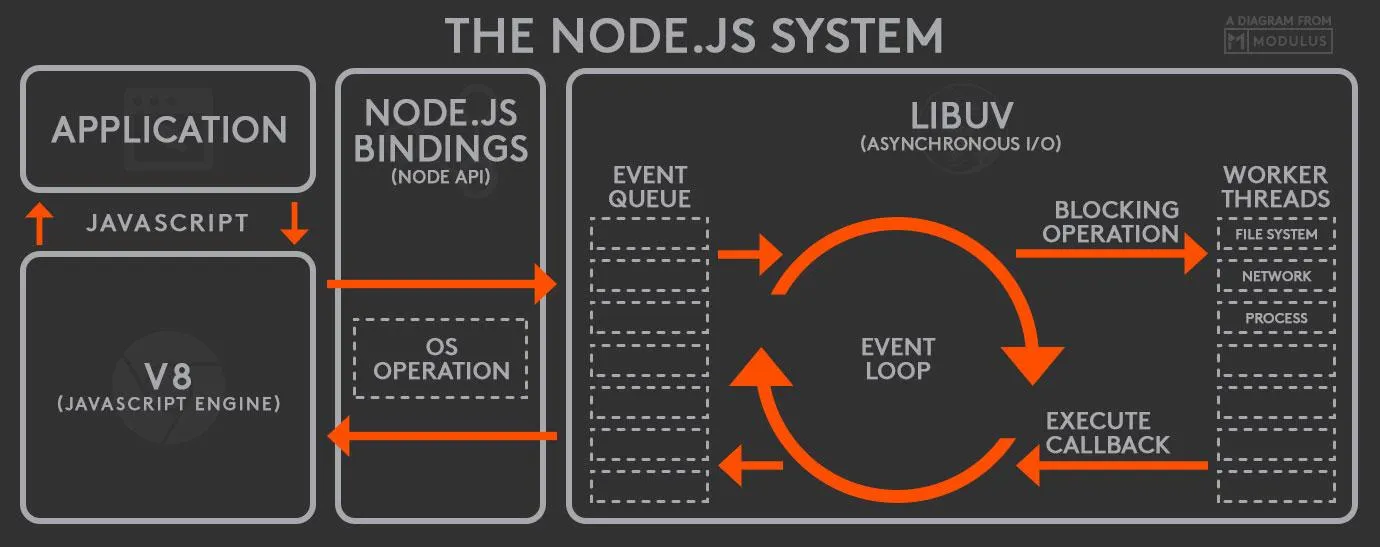
This is how Node.js is structured. The V8 JavaScript engine is renowned for being single-threaded. So, how do asynchronous operations work in browsers and Node.js? The V8 JavaScript engine being single-threaded means it executes JavaScript code line by line using a Stack, Heap, and Queue within a single thread. Asynchronous processing is handled by leveraging Web APIs in the browser and by utilizing libuv, an asynchronous library, in Node.js.
libuv receives numerous user requests into its Event Queue. A single-threaded Event Loop then picks requests one by one from the Event Queue and dispatches them to the Worker Thread Pool for detailed execution. This mechanism allows Node.js to function effectively as a server, even when thousands or tens of thousands of user requests arrive simultaneously, by queuing them and rapidly delegating processing to the Worker Thread Pool.
One might call it a beautiful collaboration between a single-threaded component (Event Queue & Loop) and multi-threaded components (Worker Thread Pool). libuv’s asynchronous capabilities leverage the Kernel (system APIs), resulting in excellent performance, making JavaScript even more suitable for server-side applications than in a browser environment. Since its inception, the Node.js server runtime environment has become immensely popular in the web server landscape as a lightweight, fast, and highly scalable solution. With the advent of new JavaScript runtime environments like Deno and Bun, it remains to be seen if Node.js will eventually be regarded as an “old-timer.”